


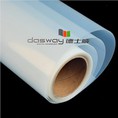


Nanyang Deshiwei Digital Technology Co. Ltd was founded in 2000 with many years produce experience. We are the professional manufacturer of digital printing materials and medical film.The mainly products include water-based reverse print backlit film, water-based front print backlit film, eco-solvent front print backlit film, DTF film etc.

01
Strong Production Capability
The company has been committed to the research and development in the field of digital printing consumables. Up to now, Nanyang Deshiwei covers an area of 60,000 squaremeters, which has three high-precision automatic coating production lines with various professional equipment and more than 20 middle and senior technical personnel. As a result, the total annual production volume can reach 50 million squaremeters.
02
Quality Assurance
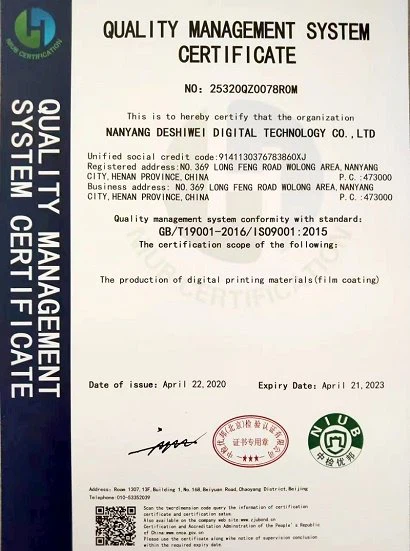
The company has a strict quality management system and has passed ISO9001:2000 quality certification. With its strong technical strength and honest business philosophy, it enjoys a good reputation in the industry and has won many honors such as "China Famous Brand" and "China Consumers Trustworthy Brand".
03
Broad Market
The domestic marketing network covers nearly 30 central cities, and more than 10 agents have been established in first-tier cities such as Beijing, Guangzhou, and Shanghai. Products are exported to more than 30 countries and regions in six continents including America, Europe, and Asia.
04
Leading Service
Our services are refined and standardized. From pre-sales technical consultation to after-sales maintenance, we always put customer needs first and continuously innovate our service value system.

Waterproof inkjet film is a special film designed for the development and production of inkjet printing systems, suitable for new technologies of inkjet printing plate making. It is widely used in screen printing, lithography, inkjet plate making, offset printing, advertising printing, etc.

The inkjet clear film is with micro porous material coated on its surface,it absorb water based dye and pigment ink and traps them instantly. At the same time,it performs excellent in precision and color accuracy, supports high ink coverage.The inkjet clear film we provide is widely used for moulding in silk screen printing, lithographic printing, offset printing,textile printing.

Deshiwei eco-solvent transparent film is a standard (non-adhesive) polyester film. The excellent print quality and clarity of this film make it useful for a wide variety of specialty graphics including film positives, architectural drawings and overlays.

Deshiwei inkjet color separation film is a high quality and high density Polyester based (PET) film for plate making and silk screen printing. With milky transparency, waterproof, special micro porous top coating, and compatible well with pigment and dye ink features, it works perfect with various inkjet printers.

The clear laser Film is adopting the latest advanced coating technology, produced based on super PET material. It's suitable for laser printing, engineering drawing, digital printing, offset printing, silk screen printing, lithographic printing, plate making, concave printing. And it can be used as PET clear cover for office and school use.
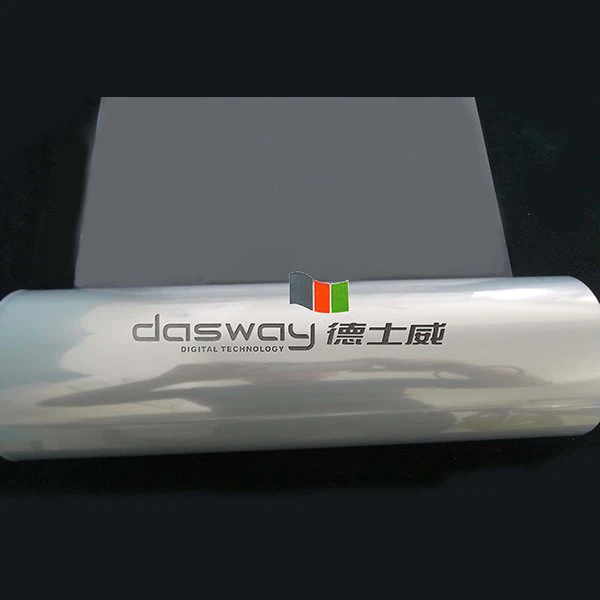
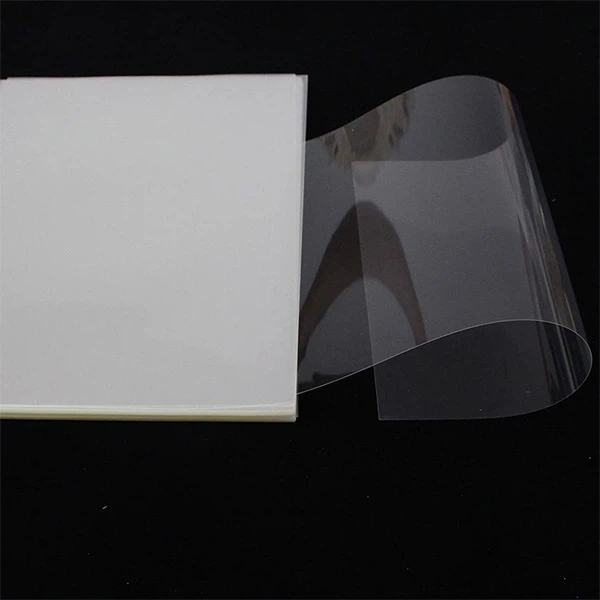
The solvent clear film is adopting the latest advanced coating technology, produced based on good polyester, it is transparent, suit for solvent, eco-solvent printers such as Mimaki, Roland, Mutoh Seiko, and Vutek etc It is. Used for proofing overlays, silk screen printing, plate making, textile printing, offset printing, advertising, window show displays.
What is Inkjet Transparent Film
This is an optically clear inkjet printer plotter film that provides excellent ink adhesion for bright, vivid colors with superior bleed control and is perfect for multiple overlays and transparent images. As a corollary, Clear inkjet film can be widely applied in silk screen printing, lithographic printing, offset printing and textile printing.

100% Clear: Fully transparent transparencies are perfect for crafting and screen printing. No milky white blocks UV rays, which reduces the time it takes to burn your screen prints.
Inkjet Compatible: Works with standard inkjet printers.
High-Quality Printing: Transparencies are designed to produce vibrant colors and details.
Great for Crafting: Use for clear cards, window cards, scrapbooks, stencils, shaker cards, light boxes, floating decorations, and more.
Quick Dry: Our quick-dry coating means your transparencies will dry in less than a minute
Types of Inkjet Transparent Film
When it comes to inkjet transparencies, there are three main types: clear film, opaline film, and waterproof film. Each type has its own unique properties and uses. Let's take a closer look at the specifics of each film.
Transparency Film
Transparency film is exactly what the name implies, and is completely transparent. This film is ideal for professional use, especially in applications where light transmittance is critical. Imagine you are in a dark room, using a projector to project an image onto a screen. You need the light to pass through the film without hindrance. Transparency film offers this advantage, making it ideal for presentations and screen printing.
Key Features:
– High Light Transmittance: Allows maximum light to pass through, making it ideal for high-quality projections.
– Professional Use: Often used in professional environments where clarity and precision are critical.
Opaline Transparency Film
Next up is opaline transparency film. Unlike transparency film, this film has a milky or frosted appearance. But don't let that fool you; it's still very effective. The milky look comes from a special coating that helps with ink absorption. This coating ensures that the ink dries quickly and does not smudge, making it ideal for fine color reproduction.
Key Features:
– Special coating: Enhances ink absorption, resulting in faster drying time.
– Ink absorption: Great for fine color images as the coating prevents smudging and smudging.
Waterproof Film
Last but not least, we have waterproof membrane. This type of film is designed to resist moisture and other environmental factors. It has multiple layers that help absorb and dry ink faster. Waterproof membrane is ideal for screen printing and other applications where durability is a must. For example, Screen Print Direct's inkjet clear film is a popular choice among professionals due to its ultra-fast drying and high-quality prints.
Key Features:
– Multiple layers: These layers absorb ink quickly, reducing drying time.
– Durability: Resists moisture, making it ideal for outdoor and long-lasting applications.
Applications of Inkjet Transparent Film
The uses for inkjet transparency film are numerous. Here are some common applications:
Screen Printing
Artists and designers print film positives to create screens for printing on a variety of substrates such as fabric, glass, and metal.
01
Projectors
Teachers and presenters use transparency film to display information on overhead projectors.
02
Crafting and DIY Projects
Hobbyists use this film for stenciling, scrapbooking, and other creative endeavors.
03
Photography and Art
Transparencies can be used to create negatives for photographic processes or to print intricate designs for art projects.
04
How to Print on Inkjet Transparency Film
Printing on inkjet transparencies can seem tricky, but with the right steps, you can achieve crisp, vivid results. Let's break it down into three key areas: printer compatibility, printer settings, and tips for best results.
Printer Compatibility
•Inkjet Printers: Most inkjet printers are suitable for printing on transparencies. They work well because inkjet technology allows liquid ink to be absorbed by the film coating. For best results, check your printer manual for compatibility with transparencies.
•Laser Printers: If you use a laser printer, be careful. Laser printers use heat to fuse toner to paper, and not all transparencies can withstand this heat. Using the wrong type can damage your printer or result in poor print quality. Always use laser-compatible transparencies if you go this route.
•HP Inkjet Printers: HP inkjet printers are known for their versatility and quality. They generally handle transparencies well. Just make sure you use the correct media type setting for best results.
Printer Settings
•Plain Paper Setting: This is the default setting for most printers. While it works for transparencies, it's not ideal. The ink may not adhere properly, causing smudges.
•Photo Paper Setting: It is usually better to select the Photo Paper setting. This setting uses more ink and provides better color saturation, which is essential for clear, vivid prints.
•Transparency Options: If your printer has a Transparent or Film setting, use it. This setting is designed for printing on nonporous surfaces such as transparencies. It adjusts the ink flow and drying time to prevent smudges.
Tips for Best Results
•Special Transparencies: Use high-quality transparencies designed for inkjet printers. These films have a special coating that absorbs ink and prevents smudging.
•Drying Time: One of the most common issues with transparencies is drying time. As noted in customer reviews, some users find that prints dry quickly, while others experience smudging. To avoid this, remove each sheet from the printer immediately after printing and lay it out on a flat, dust-free surface to dry. Allow at least 10 minutes to dry, or even overnight for best results.
•Handling: Handle the edges of transparencies to avoid fingerprints, which can affect print quality. Also, make sure you load the film properly into the printer. Most transparencies have a rough side that is designed to hold ink. If you print on the smooth side, the ink may not dry properly.
•Stacking: Avoid stacking freshly printed transparencies on top of each other. This can cause smudging, as the ink may still be wet. Instead, lay them flat to dry completely.
By following these steps and tips, you can ensure that prints on inkjet transparencies are crisp, clear, and professional. Next, let's explore the different types of transparencies and their specific uses.
How to Use Inkjet Transparency Film
Whether you are preparing slides for a presentation, creating handwriting or printing aids for your children, or making transparent overlays for making a journal or scrapbook, knowing how to use inkjet transparencies can come in handy. Most home and office printers can print on transparencies, but you may need to configure the settings before printing. Make sure any image you print to inkjet transparencies is in black and white and that the contrast is turned up high before printing.
Step 1
Open the document or image you want to print. If you are preparing an image for screen printing or projection, make sure the contrast on the image is as high as possible while retaining the important details of the image.
Step 2
Select the "File" drop-down menu and click "Print." Use the "Printer" drop-down menu to select the appropriate printer to print from.
Step 3
Find the "Page Setup" or "Options" menu option and click it. Select the standard paper size of 8 1/2 x 11 inches and select "Inkjet Transparencies" under Paper Type.
Step 4
Pick up the stack of transparencies and fan the sheets slightly to make sure they are not sticking to each other. Align them so they are all aligned and at right angles to each other.
Step 5
Remove all paper from the printer and load the inkjet transparencies. Determine which side of the transparency is sticky or rough (compared to the other side which is smooth) and place that side print side up or down, depending on whether your printer takes the paper straight or turns it upside down first. The printer should apply the ink to the rough side. Align the transparency so the white label is facing inward and the printer can grab it easily.
Step 6
Select the "Print" option for your document or image and watch the printer to make sure only one transparency is grabbed and that it feeds into the printer smoothly.
Proper storage of inkjet transparencies is essential to maintaining their quality. Transparencies can absorb moisture from the air, which can affect their performance.
Humidity Control
Store the film in a cool, dry place. Excessive humidity can cause the film to warp or become sticky, affecting print quality.
Lay Flat
Always store transparencies flat. Storing them upright can cause them to bend or curl, making them difficult to feed into the printer.
Keep In Original Packaging
Original packaging is designed to protect the film from dust and environmental factors. Keep the film sealed in its original packaging until you are ready to use it.
Avoid Direct Sunlight
Prolonged exposure to sunlight can cause the film to fade or discolor. Store the film in a dark place to preserve its clarity.
By following these best practices, you can ensure that your inkjet transparencies stay in top condition, giving you high-quality prints every time.
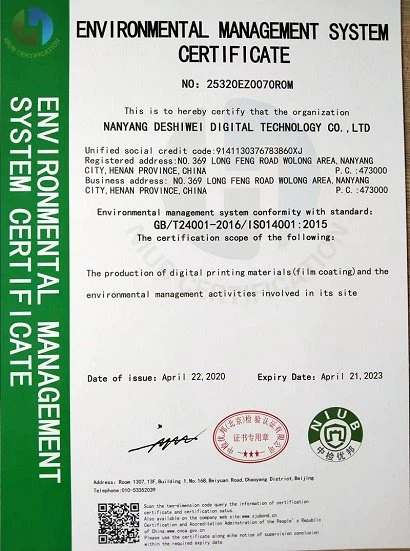
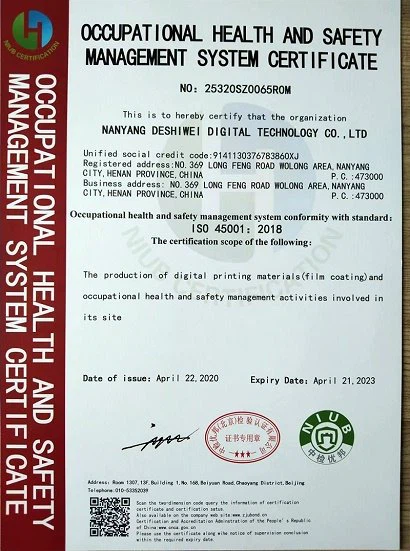
Certifications



Frequently Asked Questions
Hot Tags: inkjet transparent film, China inkjet transparent film manufacturers, suppliers, factory, Inkjet Color Separation Film, , DTF Heat Transfer Film, PVC Film, Silver Metallized Film


