


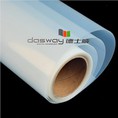


Nanyang Deshiwei Digital Technology Co. Ltd was founded in 2000 with many years produce experience. We are the professional manufacturer of digital printing materials and medical film.
The mainly products include water-based reverse print backlit film, water-based front print backlit film, eco-solvent front print backlit film, UV backlit film, inkjet waterproof film, inkjet clear film, eco-solvent clear film, laser clear film, inkjet blue medical film, inkjet white medical film, laser blue medical film, laser white medical film, semi-transparent laser film, thermal medical film, DTF film etc.

Why Choose Us?
01
High quality
Our company has a strict quality management system and has passed the iso9001:2000 quality certification.
02
Rich experience
We are the professional manufacturer of digital printing materials and medical film with many years produce experience.
03
Global shipping
Our products have been exported to more than 30 countries and regions on six continents including america, europe, and asia.
04
Advanced equipment
The company has three high-precision automatic coating production lines with various professional equipment.
Related Product Introduction


Instantly dry
Brilliant color, Clear image
Waterproof durability

Super white, high Ink loading ability waterproof, instant dry, trong endurance of climate no curling, brilliant color without any color fading
What is Laser Printer Film?
Laser printer films, also called transparency film, offers many benefits. It makes prints that are clear and detailed, which is great for showing lots of information in presentations. The film is see-through, so it's perfect for projecting images. It's also tough, so it doesn't get messy easily, and it shows colors accurately. Printing on it is easy, and the prints dry fast. The quality lasts a long time, so your prints stay good-looking. You can also use it for crafts and making things personal. Laser printer film works with most laser printers and makes things look really professional.
Benefits of Laser Printer Film
- Superior top coat ensures better toner adhesion and density in prints.
- Thermally stable base polyester provides improved registration accuracy.
- Universal compatibility allows for ease and flexibility in various workplace settings.
- Daylight operations enable effortless handling during the printing process.
- Treatment prevents fingerprint marks, ensuring clean and smudge-free results.
Types of Laser Printer Film
Laser films
This type of film is less popular most likely because density is very hard to control. Toner can only be controlled so much by printer settings and may be affected by toner cartridge age. They are made of clear plastic film bases. Distortion may be a problem in larger images due to the heat of the fuser.
Laser vellum
This type of film positive is less popular most likely because density is very hard to control. Toner can only be controlled so much by printer settings and may be affected by toner cartridge age. This is a transparent paper product. This medium also has the disadvantage of possible shrinkage or wrinkling in the fuser. This can be a problem with multi colored jobs and their registration on press.
Plotter cut vinyl on clear acetate
This is a home brew process that results in very opaque film positives. They are made of clear plastic film bases with plotter cut vinyl graphics applied to the film. These films are great to make especially if you are a sign maker and have the plotter and perhaps an odd color vinyl you want to get rid of. Most any color vinyl will block the exposure source but darker ones are best.
Application of Laser Printer Film

Decorative applications
Laser printer film allows you to create custom decorative items for your home or office. You can print photos, artwork, or patterns on the film and apply it to walls, furniture, or other smooth surfaces. It can be used as removable wallpaper for walls or to refresh the look of cabinets, tables, and chairs without the mess of paint.
For creative individuals
Laser printer film offers endless possibilities for customization. You can create stencils, transfers, or stickers to embellish items like mugs, t-shirts, picture frames, and mirrors. Kids and teenagers will enjoy printing and applying their own designs. With the appropriate sealant, items decorated with laser printer film can even be made food-safe and dishwasher-safe.


Industrial uses
Laser printer film also has important uses in industrial applications. It is often used for product labeling, panel overlays, membrane switches and lithographic printing. The film's durability and abrasion resistance make it well suited for these functions. It is also water-resistant and chemical-resistant, able to withstand harsher environments.
For manufacturers
Laser printer film provides an affordable solution for short-run custom labels, panels and overlays. It eliminates the setup costs of traditional printing methods. With the right printer and software, complex multi-colored prints with high resolution are possible. Laser printer film delivers industrial quality at lower volumes.

Process of Laser Printer Film
Designing the Image
The first step is to design your digital image using software such as Adobe Photoshop or Illustrator. Keep in mind that your design must be in black and white, with no shades of gray. This is because the film positive must be opaque enough to block light during the exposure process.
When designing your image, remember to add center crop marks and registration to each image layer. These marks will help you line up your film positives and align your screens when printing colors. You can use a template or create your own registration marks using the shape tool.
Transferring the image to film
Once your design is complete, it's time to transfer it to film. You can use an inkjet or laser printer to print your film positive. However, make sure to use a printer with a high resolution and a black ink cartridge with a high density.
Here are the steps to transfer your image to film:
a: Load your transparency film into the printer.
b: Open your design in the software and select the print option.
c: Choose the correct printer and printer settings. Make sure to select the highest resolution and density possible.
d: Print your design onto the transparency film.
e: The ink to dry completely before handling the film.
Once you have your film positive, you're ready to move on to the next step in the screen printing process. Remember to handle your film with care and avoid creasing or folding it, as this can affect the quality of your print.
Handling multi-color jobs
For multi-color designs, correct color separation and registration are essential:
a: Color separation: Break down your design by color layers, each layer representing a separate screen.
b: Registration lines: Add registration marks to each film positive to align your colors accurately during the screen printing process.
Steps to follow:
a: Create a separate film positive for each color layer in your design.
b: Each film is marked with registration lines for precise alignment.
c: Check that each color layer is opaque to prevent light from curing unintended areas of the photo-sensitive emulsion.
How to Maintain Laser Printer Film
Store film strips in a cool, dry, and dark place. Temperature fluctuations, humidity, and exposure to light can cause irreparable damage to the film's emulsion layer, resulting in a loss of image quality.
01
Keep film strips away from sources of heat and moisture. Avoid storing them in areas that are subject to dampness, such as basements or attics, which can promote mould growth and accelerate the deterioration of the film.
02
Use archival-quality storage materials, such as acid-free envelopes, sleeves, or boxes. These materials are designed to preserve the film's integrity over time & prevent damage from exposure to air or contaminants.
03
Handle film strips with clean, dry hands or gloves. Oils and dirt from fingers can transfer onto the film, causing irreversible damage to the emulsion layer.
04
Avoid stacking film strips on top of each other or bending them. Pressure can cause the film to warp or crack, damaging the image and making it difficult or impossible to view.
05
How Laser Printer Film Works
Laser printers are truly remarkable devices. They use light beams and heat to print images on paper without the need for ink. Here's a breakdown of how this magic happens:
The laser: A laser beam is directed onto a mirror called the scanner mirror, which rapidly moves back and forth. The mirror reflects the laser onto a drum coated with a photosensitive material, exposing the parts of the drum that need to print the image.
The photosensitive drum: The drum's photosensitive coating becomes electrically charged when exposed to light. The charged areas of the drum attract toner powder. The toner, made of plastic granules, carbon, and colorant, adheres to the charged parts of the drum.
Transferring the image: The drum rolls over a sheet of paper, transferring the toner onto it. The paper then passes through hot rollers known as fuser rollers.
Fusing the toner: The fuser rollers apply heat and pressure, melting the toner into the paper. This permanently bonds the toner to the page, creating the printed image.
Any excess toner on the drum is cleaned off and collected in a waste toner container for reuse. The drum is discharged and ready to start the process again.
Our Factory
Nanyang Deshiwei Digital Technology Co., Ltd was established in 2000, specializing in the production of digital printing consumables and medical films for more than 20 years. It is worth mentioning that we are the earliest professional manufacturer of backlit film in China. The company is headquartered in Nanyang, Henan Province, which is a wonderful city with beautiful scenery and many talents.


Certifications


Frequently Asked Questions
Hot Tags: laser printer film, China laser printer film manufacturers, suppliers, factory, Silver Metallized Film, Inkjet Color Separation Film, DTF Heat Transfer Film, PVC Film


